


ezContact 2.5.5
Modern and intuitive user interface – optionally installed locally or as a cloud solution (SaaS).

CRM software for clear contact management


ezContact supports small and medium-sized businesses as well as individual users in the structured management of their contacts. Addresses, relationships, tasks, appointments, events, and documents are clearly organized. Thanks to integrated correspondence, task, and appointment management, you maintain an overview of your communication and manage your contacts reliably and transparently.
The ezContact Dashboard
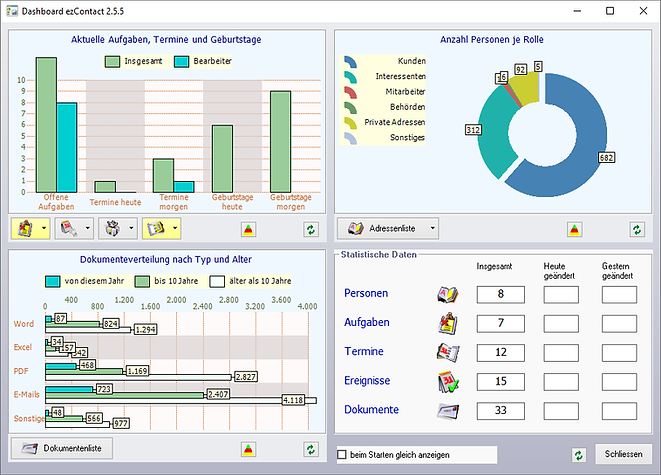
The CRM software for contact management ezContact offers a dashboard with a variety of information and functions on current tasks and appointments, as well as statistical data such as the number of people and documents, and much more.
The dashboard can be set to start automatically when the program starts and can be turned on via the system tray menu.
Start window "News"
If you have activated the "Start window 'Current'" as the start function, then immediately after starting ezContact a three-part overview with current birthdays, appointments and tasks will be displayed.
The start window can be set to start automatically when the program starts and can also be turned on via the system tray menu.

The customizable start menu

Up to 15 of the most important functions available in ezContact can be easily assigned to individual buttons in the start menu. This allows the start menu to be customized to individual needs.